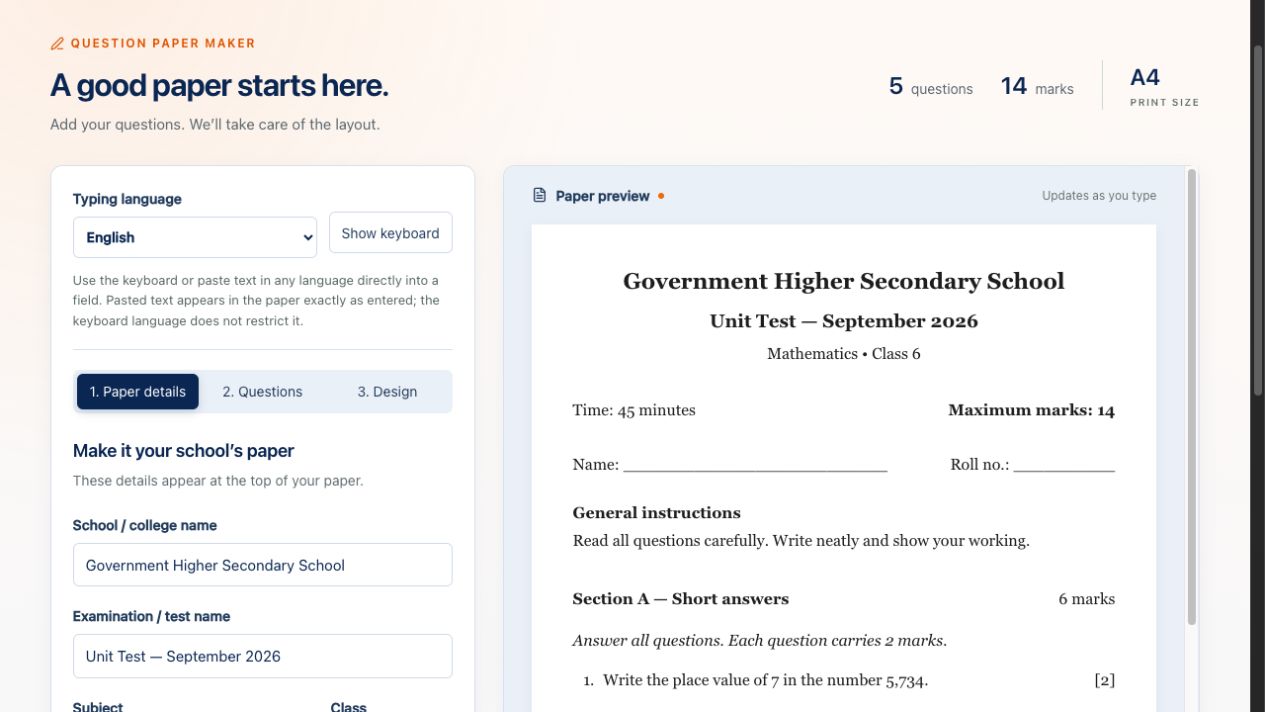
Start with your school details
Enter the school or college name, examination title, subject, class, duration and instructions. The paper preview updates as you type.
Create school and college examination papers with your own questions, sections and marks. PanDaddy’s Question Paper Maker combines a live preview, design controls and A4 PDF printing in the agent dashboard.
Agent login is required to use the maker. This public page shows sample screenshots only.
Login to create a paperActual screenshots of the maker using a sample mathematics paper.
Enter the school or college name, examination title, subject, class, duration and instructions. The paper preview updates as you type.
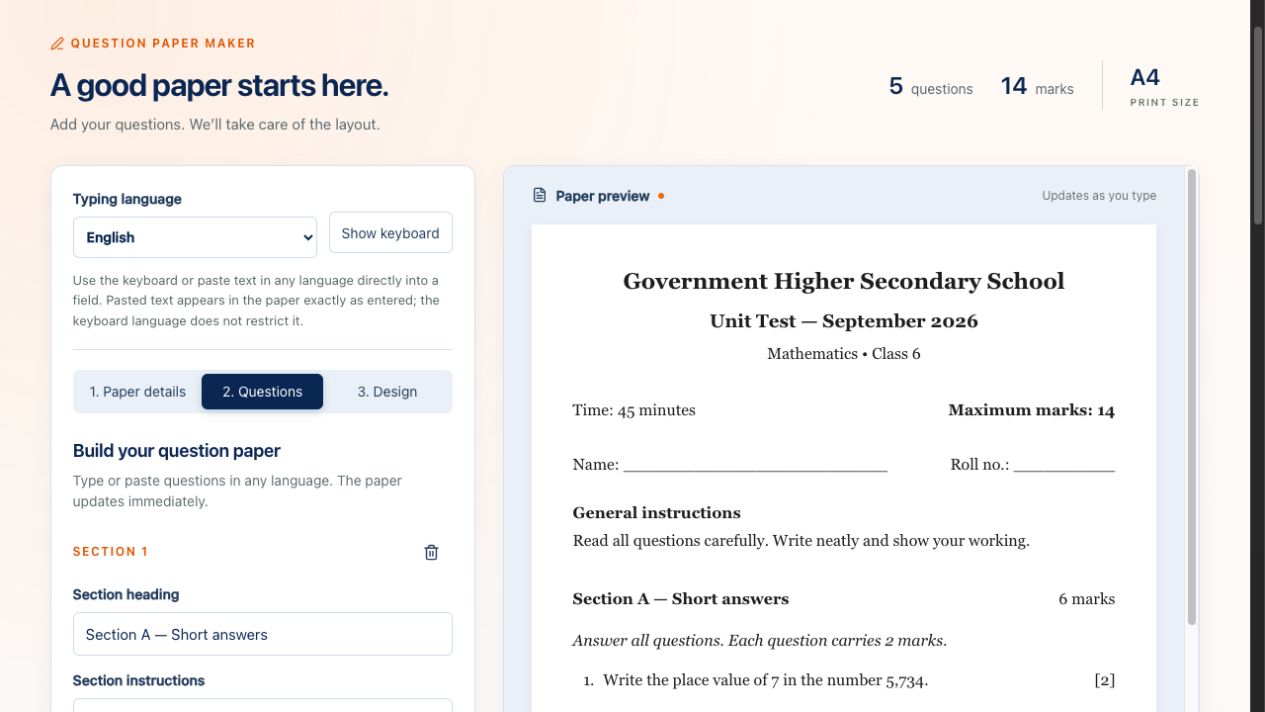
Add questions, arrange their order and assign marks. Question numbering and total marks update automatically. Type, paste or use the six language keyboards.
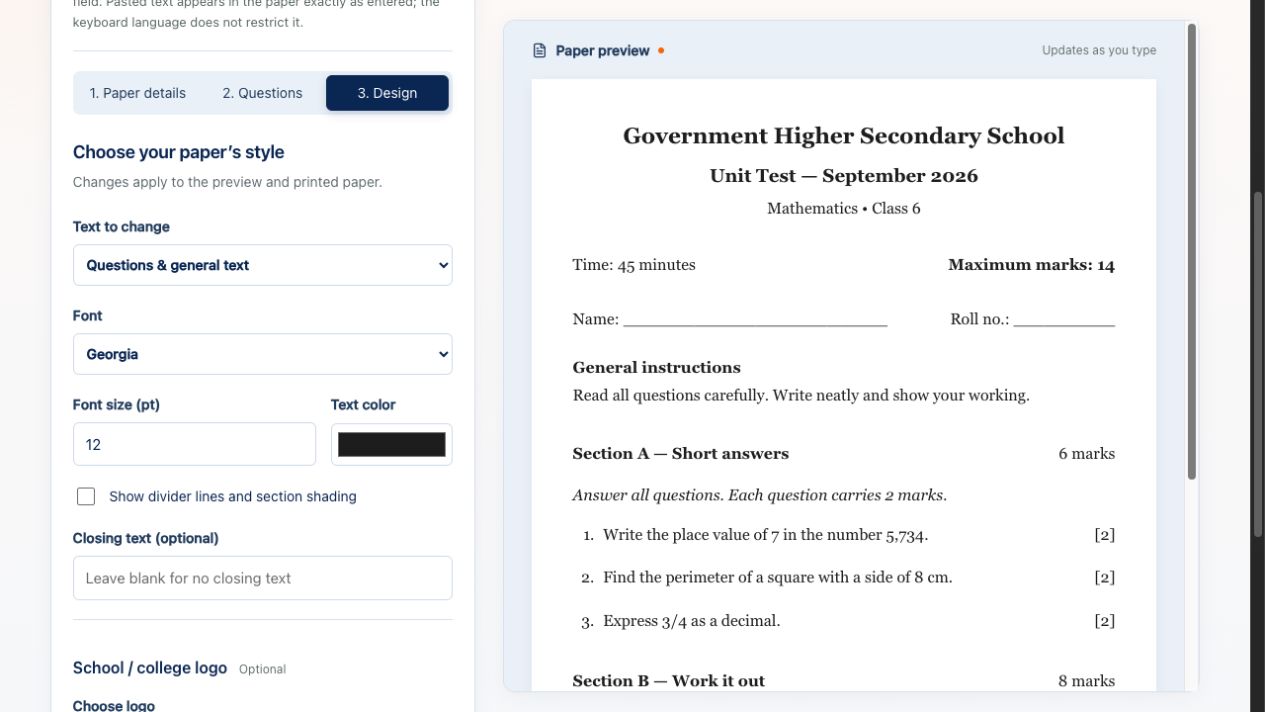
Choose fonts, sizes and text colours for the paper and headings. Add an optional institution logo, divider lines and closing text.
In the agent dashboard, click Print / Save PDF to see the current service charge and your wallet balance. Confirm payment to open the browser print dialog, choose A4, and select Save as PDF.
The charge is set by the administrator. Unchanged-paper reprints are included while the page remains open. Cancelling the print dialog does not reverse a confirmed wallet debit.
Drafts last only while the maker stays open. Save your finished PDF before refreshing or leaving, and review long papers in print preview.
The on-screen keyboards support English, Kannada, Hindi, Tamil, Telugu and Malayalam. You can also paste Unicode text in other languages. Correct rendering depends on fonts available on your device; the tool does not translate text.
No. You write or paste your own questions, organise sections and set marks. Question numbering, total marks and the question count update automatically.
An agent login is required to use the editor. The public page shows screenshots only. When you click Print / Save PDF, the current admin-set price is shown before you confirm the wallet debit.
Yes. The faint PanDaddy watermark appears in the editor preview only. It is removed from the authorised print or Save as PDF output.
No. Drafts stay in browser memory only and are cleared when you refresh or leave the maker. Save the finished PDF before leaving.